How to Use Calligraphy AI in IndiaFont V6: Hindi, Marathi, Gujarati and English
 IndiaFont Team24 November 20265 min read

Calligraphy AI is the calligraphy maker inside IndiaFont V6. You type a word, a name or a short line in Hindi, Marathi, Gujarati or English, and it writes it in AMS calligraphy styles as editable vector art, ready for a wedding card, a banner, a logo or a post. This guide shows each step, with real results.
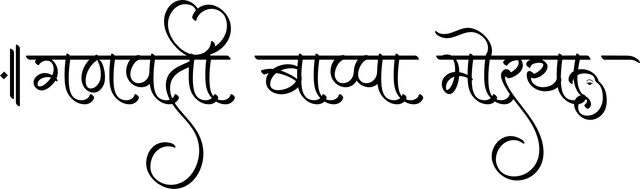
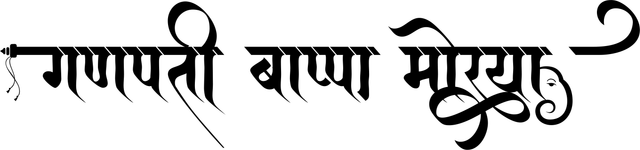
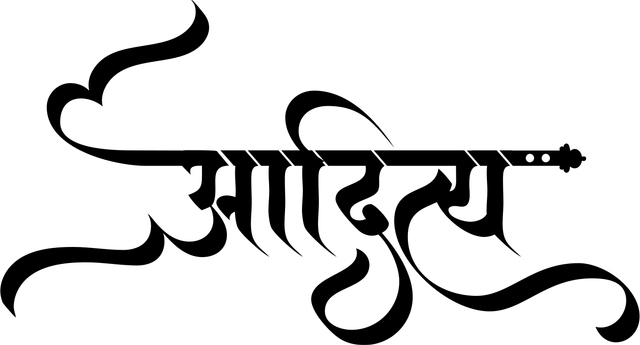
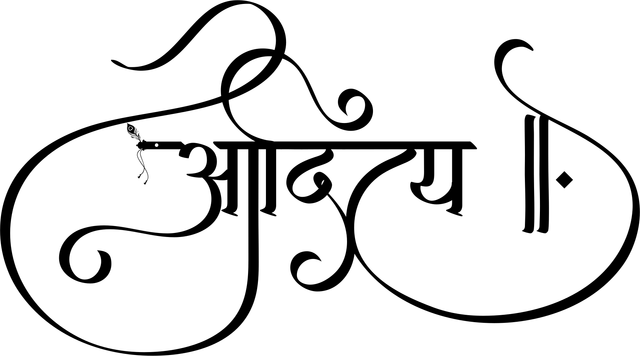
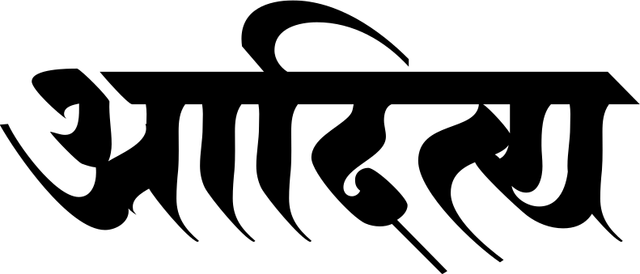
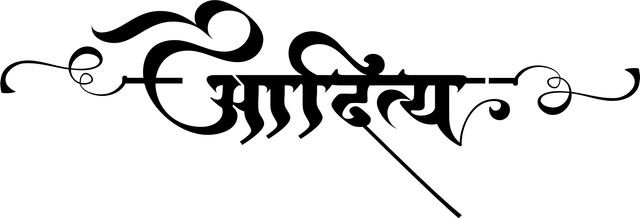
These are Calligraphy AI's own results for one line, not edited.
What you need
- IndiaFont V6 on Windows or Mac (download). It starts on the Free plan, no card needed.
- An internet connection while you generate. The rest of the design works offline.
- Your daily count: 10 a day on Free, 75 a day on Pro.
Step 1: Open Calligraphy AI
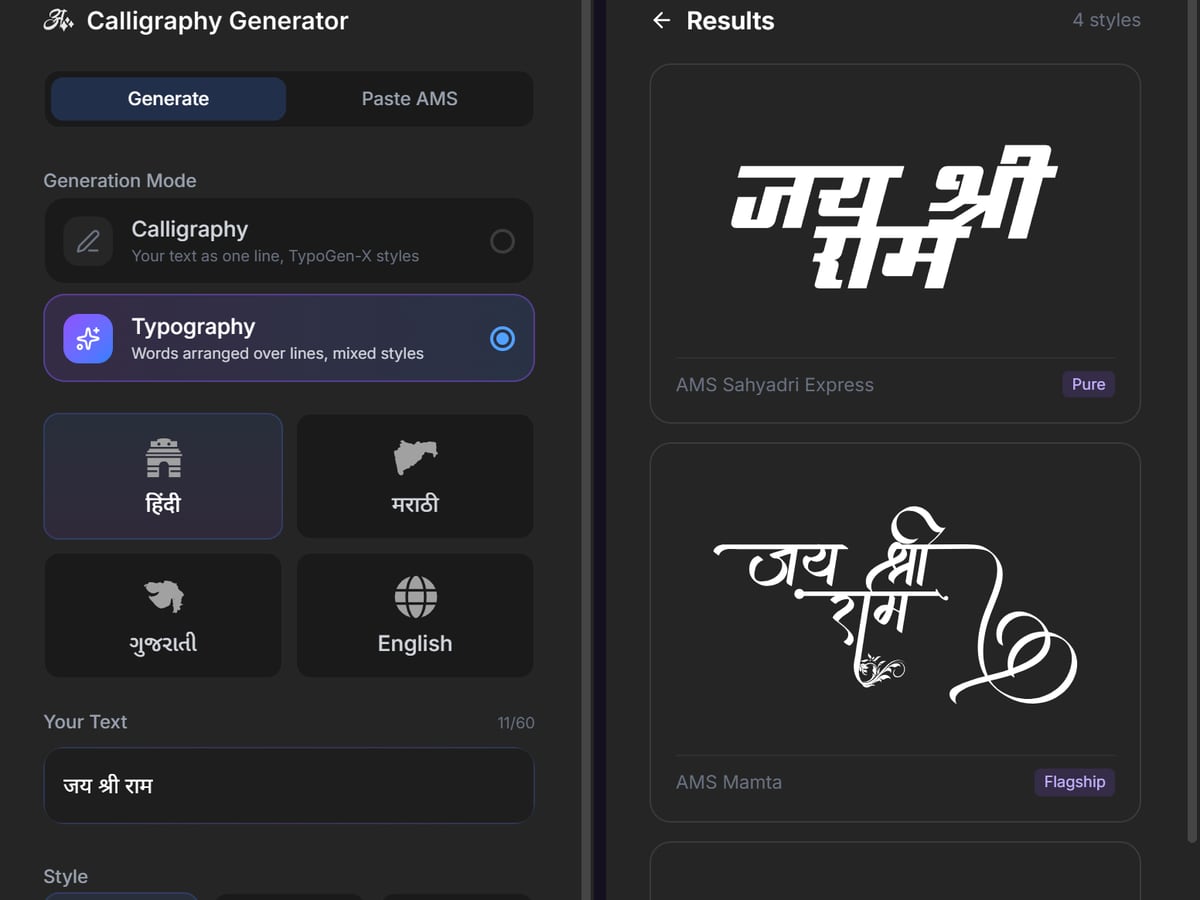
Open a design (or start a new one from the home screen) and click Generate in the left bar of the editor. The Calligraphy Generator panel opens.
Step 2: Pick a mode
| Mode | What it does | Text length |
|---|---|---|
| Calligraphy | Your text as one line, in several calligraphy styles | Up to 35 characters |
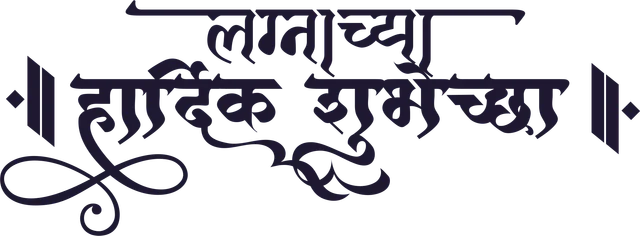
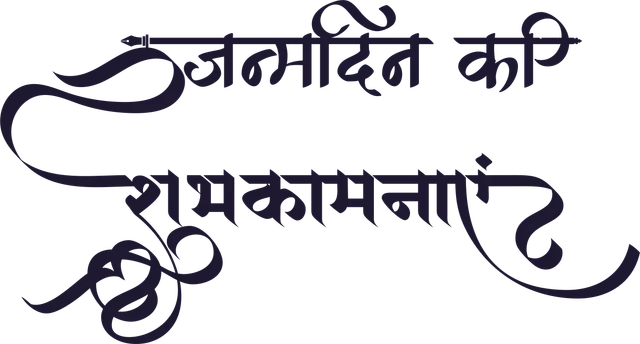
| Typography | The words arranged over several lines, in mixed styles | Up to 60 characters, split into up to 6 lines |
Use Calligraphy for a name or a heading like शुभविवाह. Use Typography for a longer wish like लग्नाच्या हार्दिक शुभेच्छा or जन्मदिन की शुभकामनाएं.
Step 3: Pick the language and type
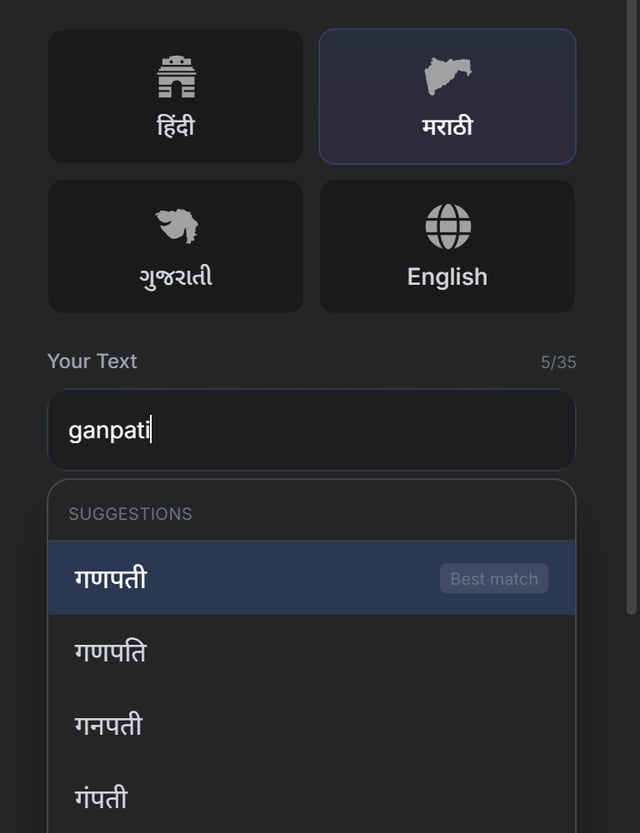
Choose हिंदी, मराठी, ગુજરાતી or English, then type your text. You can type in the language itself, or type in English letters and pick the suggested word: ganpati gives गणपती.
Step 4: Generate and pick a result
Click Generate. Calligraphy AI writes your text in several AMS calligraphy styles, and each result shows the AMS font it is based on. Click the one you like and it lands in your design.
Step 5: Make it yours
The result is vector art, so you can:
- Recolour it, or give it a gradient
- Resize it to any size without losing quality
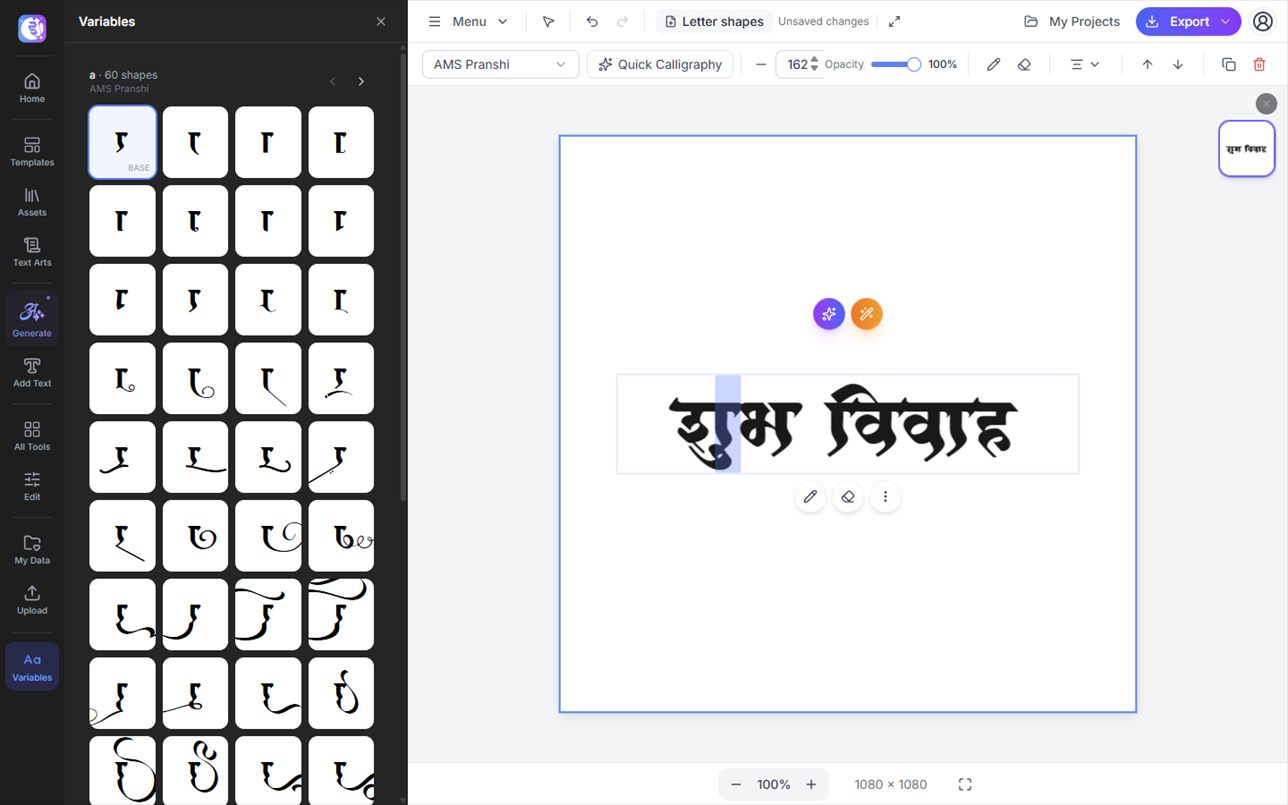
- Change a letter: click a letter and pick another of its drawn shapes
- Add an effect: gold, metal, true 3D, shadows, or one of the 11 warp styles, from 100+ ready effects
- Put it on a template and add pictures and text, arranged with layers
Step 6: Export
Export SVG, EPS, PDF or DXF to keep it vector (for print, CorelDRAW or a laser / CNC cutter), or PNG, JPG or TIFF at 300 DPI. On the Free plan export is JPG with a watermark; Pro has every format without a watermark.
Ideas to try
- Wedding cards: the couple's names and शुभविवाह. See the lagna patrika format.
- Festival posts: गणपती बाप्पा मोरया, शुभ दीपावली, मकर संक्रांतीच्या हार्दिक शुभेच्छा.
- Names: for name plates, logos and Instagram posts. Export DXF for laser-cut name plates.
- Typography lines: a full wish over several lines, in mixed styles.
Calligraphy AI inside CorelDRAW and Adobe
The IndiaFont panel for CorelDRAW and for Adobe Illustrator, Photoshop, InDesign, Premiere Pro and After Effects has a Generator tab: type a word, pick a result, and it lands in your document. It uses the same daily count as the app. Keep IndiaFont V6 running while you use the panel. See Hindi and Marathi typing in CorelDRAW.
Calligraphy AI or CalligraphyMaker.com?
CalligraphyMaker.com makes a quick calligraphy picture online, on any phone or computer. Calligraphy AI in IndiaFont V6 gives editable vector calligraphy inside a full design app, with 342 AMS fonts, templates, effects and print-ready export. Use the website for a quick picture and V6 for the whole design.
FAQ
Frequently Asked Questions
Q:
What is Calligraphy AI in IndiaFont?
It is the calligraphy maker inside IndiaFont V6. You type a word, a name or a short line in Hindi, Marathi, Gujarati or English, and it writes it in AMS calligraphy styles as editable vector art, on one line or several lines.
Q:
How do I make Marathi calligraphy with AI?
In IndiaFont V6 click Generate, choose मराठी, type your text (or type it in English letters and pick the Marathi word), click Generate and pick one of the results. It lands in your design, where you can recolour it, change letter shapes and add effects.
Q:
How many calligraphy designs can I make in a day?
10 a day on the Free plan and 75 a day on Pro.
Q:
How long can the text be?
In Calligraphy mode up to 35 characters on one line. In Typography mode up to 60 characters, which it arranges over up to 6 lines.
Q:
Is the calligraphy editable?
Yes. It comes in as vector art: recolour it, resize it without losing quality, pick another shape for any letter, add effects, and export it as SVG, EPS, PDF or DXF as well as PNG and JPG.
Q:
Does Calligraphy AI work offline?
No, it needs an internet connection while it generates. Designing, editing and exporting work offline.
Related

Download IndiaFont V6 Free
IndiaFont + a full design tool in one app, and it also works inside CorelDRAW and Adobe. 342 AMS calligraphy fonts for Hindi, Marathi, Gujarati & English, Calligraphy AI, templates and text art.
- Free plan: ₹0, no card, no time limit
- 342 AMS fonts, Calligraphy AI, templates & text art
- Plugins for CorelDRAW, Illustrator, Photoshop & more
4 lakh+ downloads since 2017


